Features
Features
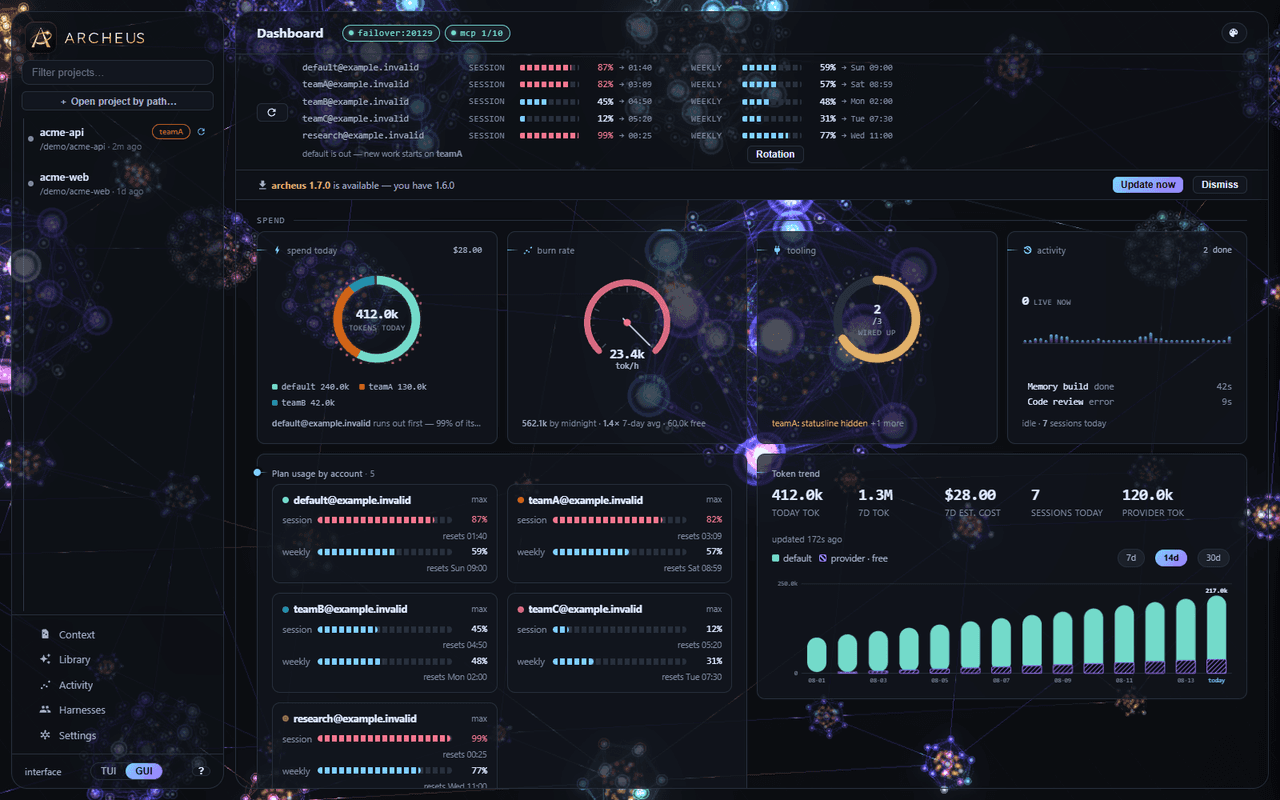
Everything archeus does, grouped. It is one engine behind two interfaces: a keyboard-first terminal UI and a desktop GUI with full parity.
Sessions & search
Claude Code’s flat pile of chats, turned into a browsable workspace.
Project memory
The feature nothing else does: task-scoped, token-budgeted memory injection at the launcher.
Architecture graph
A self-contained interactive HTML view of your project’s real dependency structure.
Plan → Execute
Plan on an accurate model, execute on a cheap or free one.
Any model, still a real session
Point a session at a local server, OpenRouter, OmniRoute or anything that serves POST /v1/messages.
Three coding CLIs, one workspace
Claude Code, OpenAI Codex and pi — their sessions, projects and spend in the same lists, and one memory graph behind all three.
The desktop GUI
The whole thing as a desktop app, with full parity to the terminal UI.
Scriptable, not only interactive
The parts worth calling from a hook, a CI job or another agent are commands.
What archeus does not do
Stated plainly, because a feature page that only lists strengths is not useful.
Sessions & search
Claude Code’s flat pile of chats, turned into a browsable workspace.
- Session browser — every project Claude Code has ever opened and every session inside it, sorted by recency.
- Search — filter live as you type, or search the content of every session across every project and resume the hit.
- Transcript viewer and export — read any session in a pager with in-conversation search and a message-position counter; export to markdown.
- Rename, fork, continue, tag and archive, with archive being a restorable folder rather than a delete.
- Changed files — the files a session created or edited, derived from its tool calls.
- Session info — tokens, estimated cost, models used, git branch and duration.
- Quick-resume shortcuts on the main screen jump straight back into recent sessions across all projects.
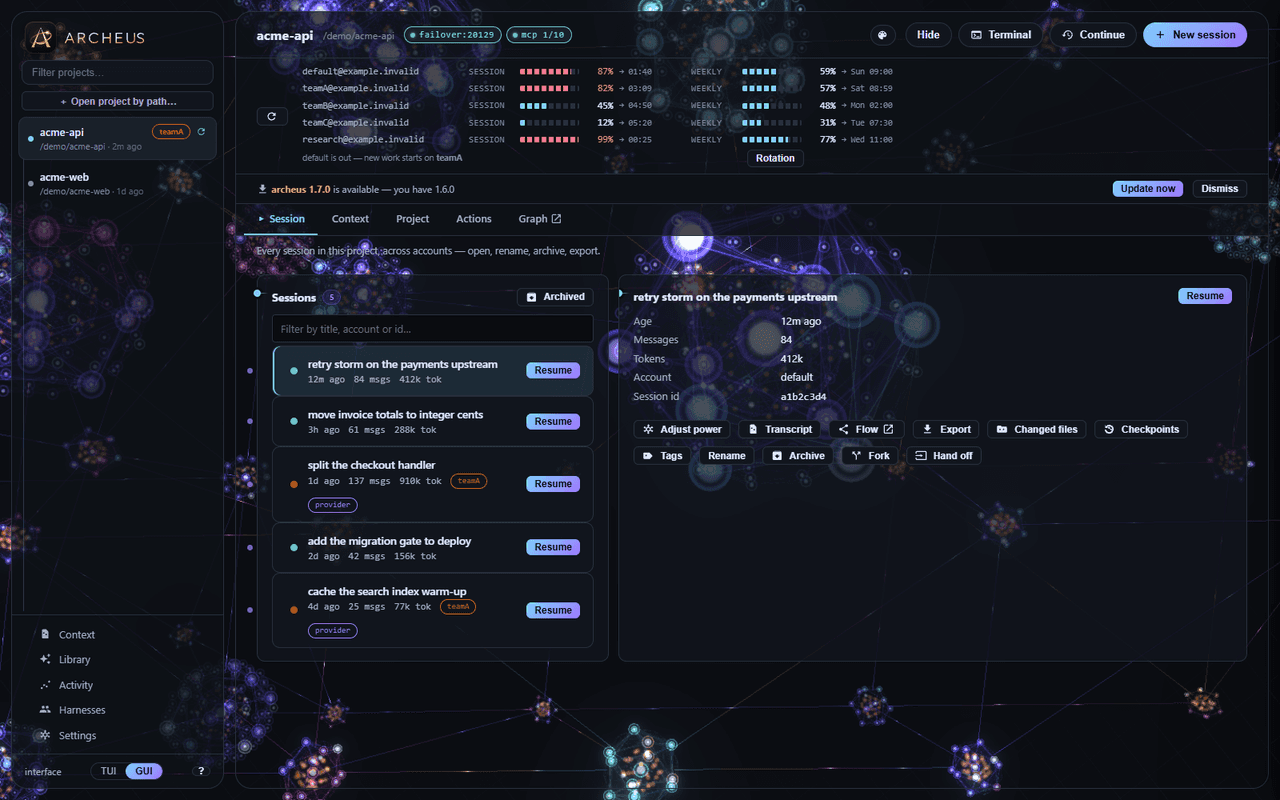
Every session in a project, searchable and resumable. 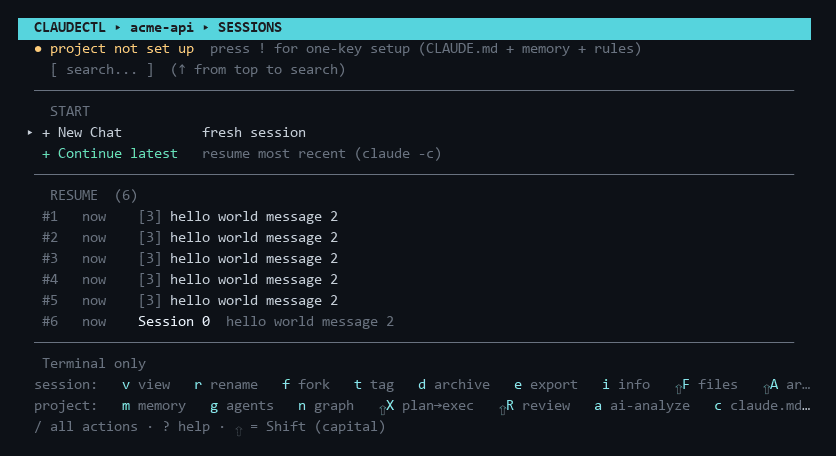
The same list in the terminal UI. Project memory
The feature nothing else does: task-scoped, token-budgeted memory injection at the launcher.
- A semantic graph of the codebase built by summarising every repo and module incrementally, merged with the real dependency graph from the connections engine.
- Three injection surfaces with zero duplication: a ≤250-token always-on index, path-scoped rules files that cost nothing until Claude opens a matching file, and an optional per-prompt hook budgeted to ≤600 tokens.
- Auto-refresh that converges — each cycle extracts at most a configured number of modules and queues the rest; work is never marked done unless it was done.
- Lessons distilled from every session, human-reviewed, injected when relevant, decayed when stale.
- Cross-project conventions promoted into your user-level CLAUDE.md.
- Ask the project — grounded question answering over the graph, with only the relevant subgraph as context.
- Recent-work memory — a token-free one-line summary per session, injected as a digest at the next SessionStart.
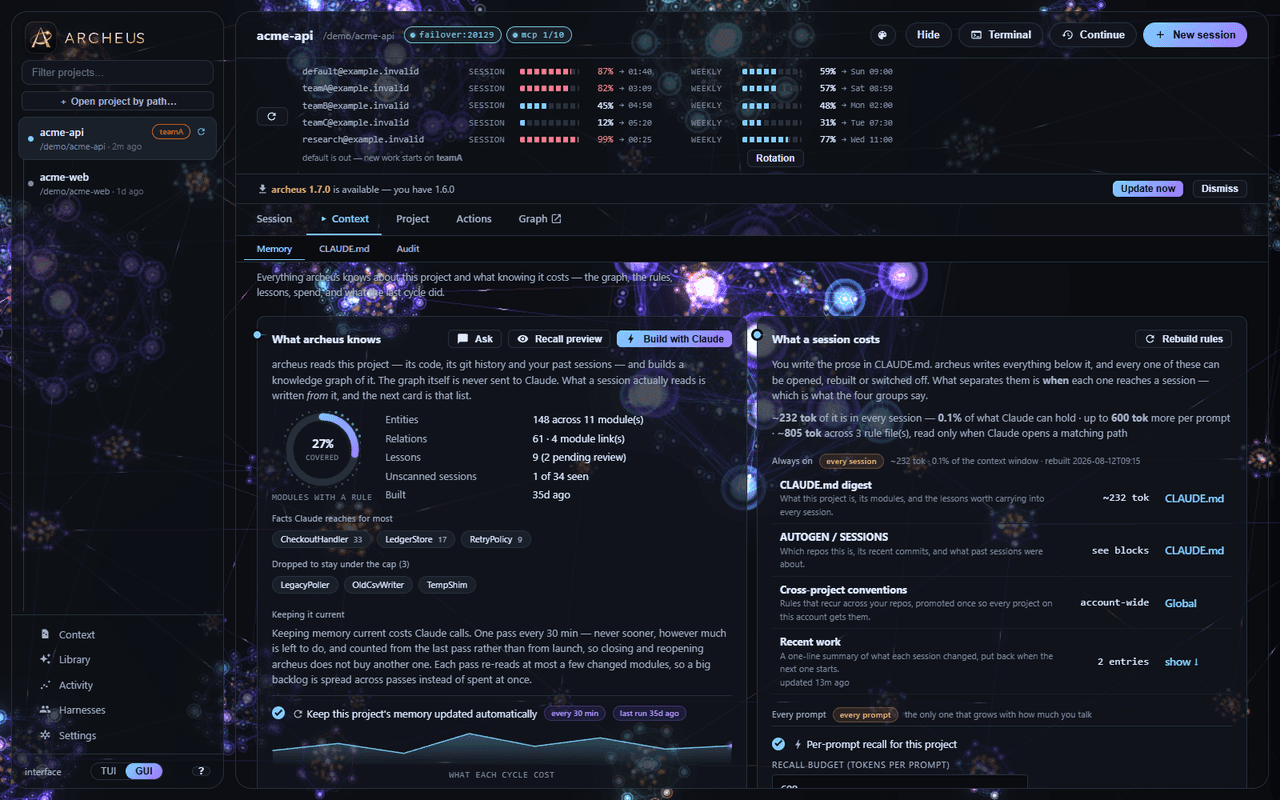
The project memory graph, its entities and the lessons distilled from past sessions. Architecture graph
A self-contained interactive HTML view of your project’s real dependency structure.
It opens at the repository level and expands down to single files, across Python, C, C++, C#, JavaScript and TypeScript. Nothing is uploaded and nothing is served — it is one HTML file written into the project, opened straight from the session browser.
Plan → Execute
Plan on an accurate model, execute on a cheap or free one.
A headless planning pass runs on the strong model. You approve or edit the plan, and the approved plan is handed to a cheaper model to carry out. Free execution routes the execute half through OmniRoute’s free tier while planning stays on your real account.
Any model, still a real session
Point a session at a local server, OpenRouter, OmniRoute or anything that serves POST /v1/messages.
archeus could always aim a real Claude Code session at another backend — that is what the OmniRoute support has always been — but the capability was wired to one product name. Settings → Model provider now takes any endpoint, with a translating gateway for backends that speak the OpenAI chat format instead, and a failover list so a dead model is retried rather than hung on.
The session stays a session. Agents, skills, hooks, MCP servers, slash commands and checkpoints all keep working, because none of them ever talk to the model API. What a backend swap genuinely costs is written down rather than glossed: subagents, prompt caching, extended thinking and web_search are affected, and three of those four cannot be fixed from outside Claude Code.
archeus’ own Claude calls — memory extraction, lesson distillation, code review, the CLAUDE.md, agent, skill, hook and system-prompt generators — can be routed there too. They are the cheapest and highest-volume calls it makes and the best fit for a local model. It is opt-in and off by default: they run unattended, and moving them changes which account is billed.
Three coding CLIs, one workspace
Claude Code, OpenAI Codex and pi — their sessions, projects and spend in the same lists, and one memory graph behind all three.
A provider is an endpoint; a harness is the binary itself, plus the conventions it keeps on disk — where its transcripts live, what its instructions file is called, what a session id even is. The two are orthogonal, and archeus now reads three harnesses with nothing to configure: it looks for each CLI’s binary and its home, and one it cannot find is simply not offered.
CLI Home Instructions file Claude Code ~/.claude, and every other account CLAUDE.md OpenAI Codex ~/.codex AGENTS.md pi ~/.pi/agent AGENTS.md - One memory graph, not three
- A project’s memory is the project’s, not one tool’s memory of it, so the same digest is delivered into every instructions file an installed CLI reads — and a machine with no Codex never grows an AGENTS.md. The agent routing table deliberately does not follow: delegating to a subagent is a Claude Code capability, and writing “delegate with the Agent tool” into AGENTS.md would instruct Codex to use a tool it does not have.
- Skills install everywhere
- SKILL.md is the Agent Skills standard and all three read the same file, so a personal skill lands in every account and every CLI. A project skill writes .claude/skills and .agents/skills — two directories, not three, because .agents/skills is the cross-harness convention Codex and pi share.
- The launch picker asks which tool first
- A tab per installed CLI and per configured backend, because the answer decides what the rest of the form means: a Codex session has no worktree and no name-at-launch, a pi session has no permission mode. Those fields are removed with the reason stated rather than left as dead inputs, and each CLI brings its own model list and its own effort scale — --effort ultracode is Claude Code’s and Codex rejects it.
- Nothing is guessed, and nothing is written
- A Codex thread’s transcript is named by its index, so archeus reads the path out of the index rather than reconstructing it; a pi session directory’s name is lossy, so archeus reads the working directory out of the file instead of decoding the name. Both stores are opened read-only.
- And any of them can be switched off
- Off means everywhere — the launch tabs, the project list, the sessions list, the usage table, and the instructions files that get a memory block. Nothing is uninstalled and nothing on disk is touched.
Claude Code remains much the deepest of the three: hooks, MCP servers, subagents, plugins, output styles and checkpoints are its alone. Every one of those screens says which CLI cannot do it and why, rather than hiding the gap or failing at launch.
Claude Code integration
- Multiple accounts
- Two or more accounts side by side, one row per project, cross-account hand-off and account-accurate memory. Session lists — live and archived — span every account, and an action puts a session back in the one it came from.
- MCP servers
- Add, remove and inspect servers, see which are actually connected to a project, and run an analysis that documents a server’s real tools into a re-updatable block in your CLAUDE.md.
- Agents & skills
- A category-organised agent library mirroring a community catalog of 150+ agents in 10 categories, per-project subagent selection, adaptive suggestions from local signals, and a skills manager.
- Hooks
- Thirty-one ready-made Claude Code hook templates — formatting, safety guardrails, failure logging, notifications, memory freshness, context injection, token savers — plus AI-generated ones. Installing, disabling and removing all apply across every account.
- Status line, failover & checkpoints
- A cheap per-turn status line, a proxy that retries a dead model instead of hanging, and a strictly read-only view of Claude Code’s checkpoint store.
- Plugins, marketplaces & output styles
- Browse and install from plugin marketplaces, see what a plugin actually contains before it runs, and switch output styles — every mutation goes through the claude CLI rather than editing its caches, whose format has already changed once.
- The client itself
- Which Claude Code version each account is on, what its state directory is costing you on disk, which background agents are running, and a typed editor for its own settings — read and written the same way Claude Code reads them, never rewritten wholesale.
- Repos & worktrees
- Every repository under a project root, including submodules and linked worktrees, with branch, dirty state and ahead/behind read from disk rather than from a subprocess — so opening the board costs nothing. Launching a session into a fresh worktree is one option on the launch screen.
- Scheduled loops
- A session-scoped /loop, and headless loops registered with the OS scheduler that wake up, run a prompt against a project and write what they found into a journal. Both are listed, both can be stopped, and neither is a daemon archeus keeps alive.
- A log of what it did
- Every Claude call archeus makes on your behalf, every background job, every scheduler run and every proxy failure, with what failed and why. The point of a tool that acts unattended is being able to read back what it did.
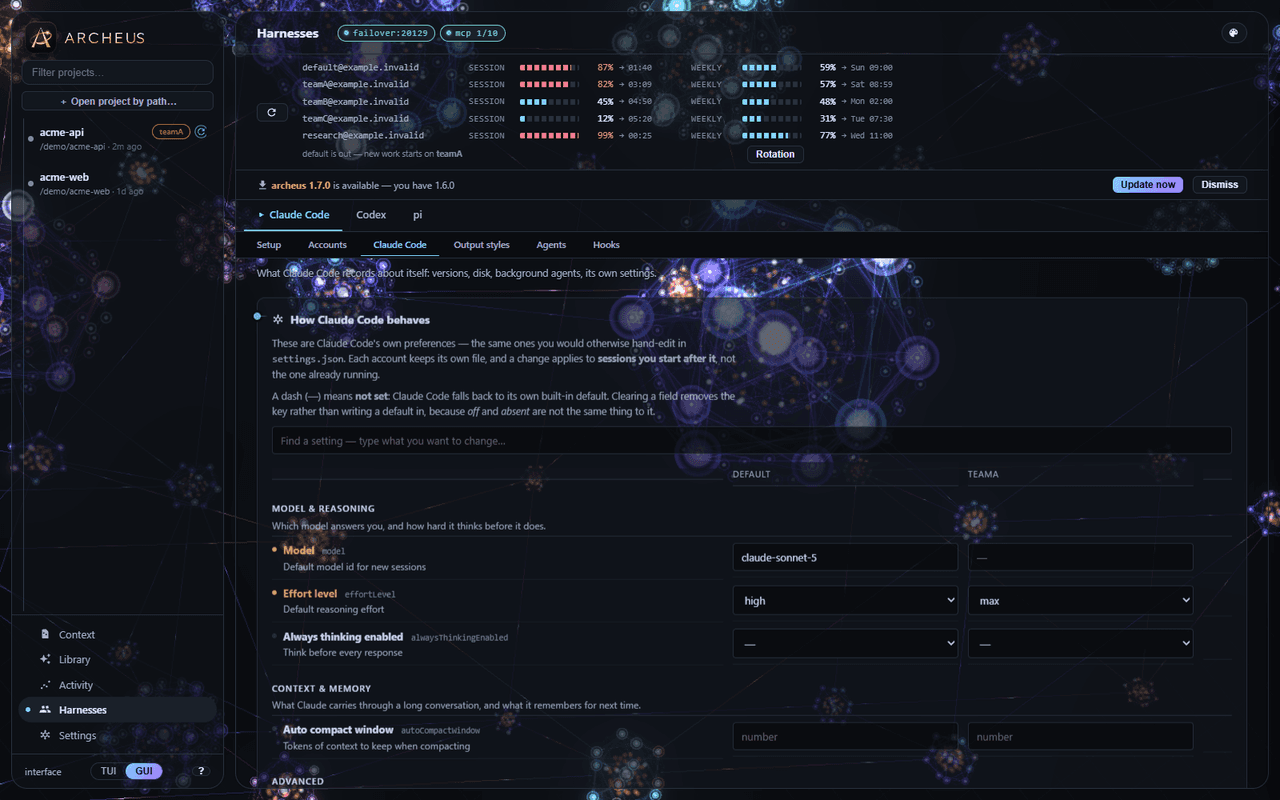
MCP servers, agents, skills and hooks, per project and per account. Project health & auto-fixes
- Pre-launch health checks.
- Context-loss insurance after /compact — memory lives outside the transcript, so it is re-injected at the next launch regardless of what the conversation dropped.
- A permission-fatigue killer and a token-burn advisor.
- Daily usage tracking with an optional threshold badge.
- Code review of your working diff against your CLAUDE.md rules and learned lessons, reporting confidence-scored findings.
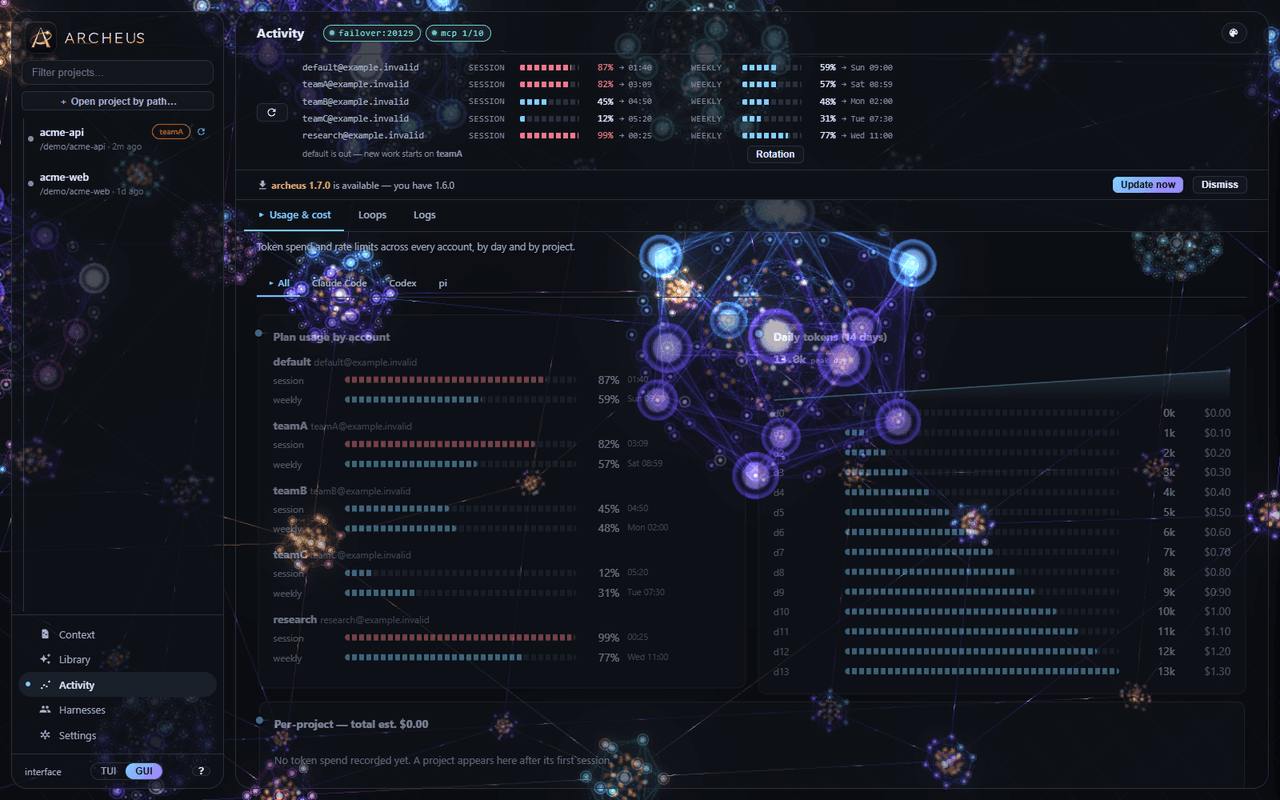
Tokens and estimated cost, parsed from your own local transcripts. The desktop GUI
The whole thing as a desktop app, with full parity to the terminal UI.
A native window when PyQt6 is present, otherwise your browser, served over loopback only. 32 palettes, 8 skins and 4 themed worlds — a skin changes the shape of the app, not just its colours.
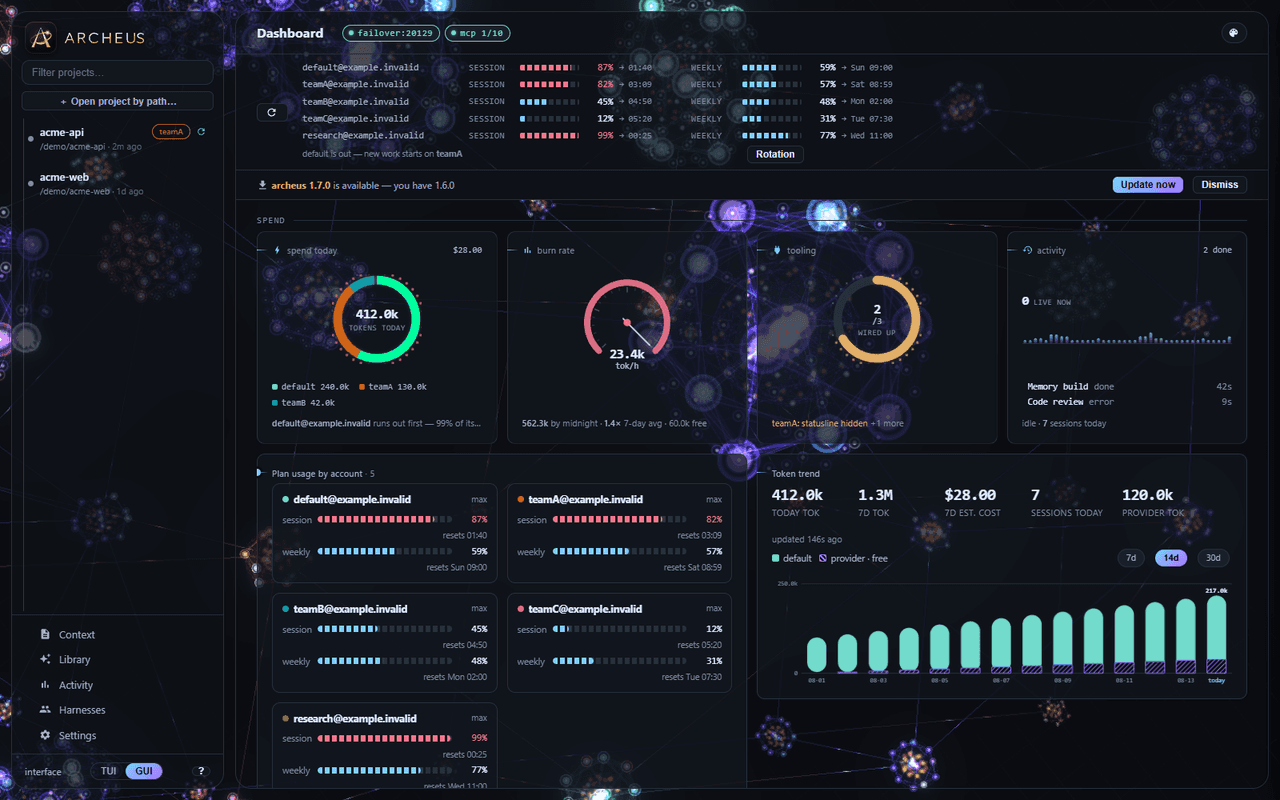
The graph world. 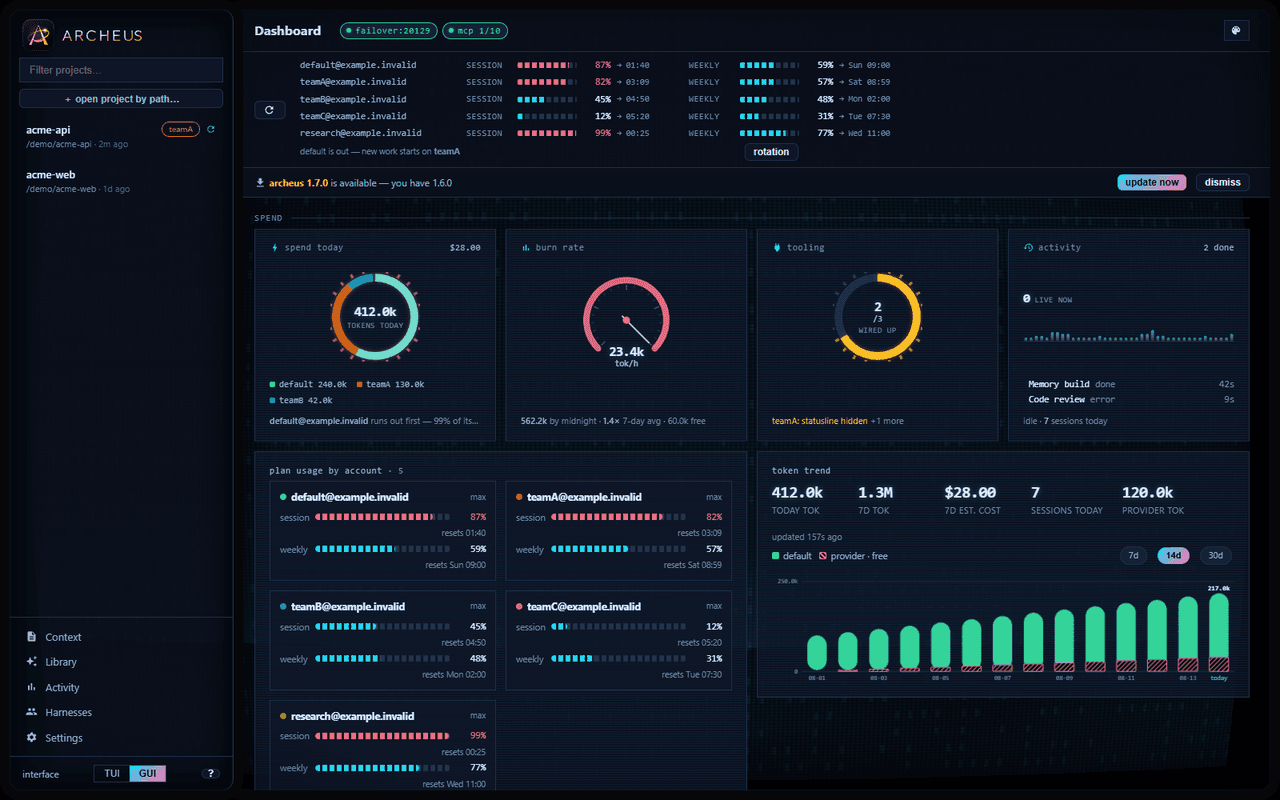
The CRT skin. 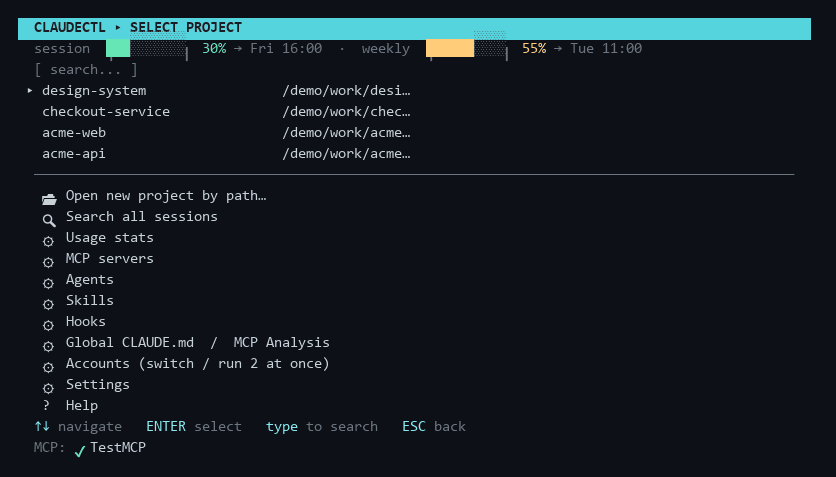
And the terminal UI, which has parity with all of it. Compared with the alternatives
Bare Claude Code Hand-maintained CLAUDE.md archeus Browse past sessions /resume, current directory, recent only No Every session, project and account Search session content No No Yes Tag / fork / archive No No Yes Project context You write it You write and prune it Maintained automatically, budgeted Cost as the project grows Grows with your file Grows with your file Bounded index plus on-demand detail Multiple accounts Set CLAUDE_CONFIG_DIR yourself — Detected, merged, picked at launch Dependency graph No No Interactive graph Extra runtime dependencies — — None, stdlib only Scriptable, not only interactive
The parts worth calling from a hook, a CI job or another agent are commands.
commands archeus recall "<topic>" # the task-relevant slice of this project’s memory archeus workspace status # what this project is, in one screenful archeus review --staged # review the diff against CLAUDE.md and the lessons archeus statusline # one line per turn, for Claude Code’s status line archeus sync-accounts # level every account up to what you have provisionedIt also ships as a Claude Code plugin, so recall, review and workspace status are available as slash commands without leaving the session. The plugin deliberately installs no hooks: archeus already places those per account, and one settings entry with two owners is how an uninstall leaves the other looking broken.
What archeus does not do
Stated plainly, because a feature page that only lists strengths is not useful.
- It is not a Claude Code replacement. It configures and launches Claude Code; every actual coding turn is Claude Code doing the work.
- It is Windows-first. macOS and Linux are supported and tested in CI, but Windows gets the widest version matrix and by far the most real-world use.
- It does not host a model of its own, and it does not bill you. By default a session runs on your existing Claude Code authentication and your existing quota. If you route one elsewhere, archeus runs a loopback proxy to translate and retry — your endpoint, your key, your bill.
- The memory features cost tokens to build. Extraction and lesson distillation are Claude calls, routed to a cheap model and run rarely, but not free. The saving is on the per-message context you stop paying for.
- It is a young project. Small user base, and the API surface still moves.
- If your CLAUDE.md is 40 lines and stays that way, you do not need this.