Station 01
The memory and workspace layer for AI coding agents.
Persistent per-project memory, every session you have ever had, and control over what the next one costs. Works with Claude Code, OpenAI Codex and pi — a terminal UI and a desktop GUI over the same engine.
pipx install archeus- Python 3.10 or newer, and the Claude Code CLI you already have.
- No API key — it uses your existing Claude Code authentication.
- Zero runtime dependencies: pure Python standard library.
- Windows, macOS and Linux, tested in CI on all three.
Station 02
Excellent inside a session. Forgetful between them.
Every new session starts from nothing, old sessions are hard to find, and the only way to give the agent context is a CLAUDE.md that grows until it costs more than it is worth. That is not one vendor’s bug — it is what every coding agent that runs in a terminal has in common.
Claude Code stores each session as a JSONL transcript under your config directory and gives you no way to browse them. /resume reattaches you to something recent in the current directory; it does not search, does not span projects or accounts, and cannot answer "what did I do in this repo three weeks ago, and what did we decide".
The context problem is worse, because it is recurring. CLAUDE.md rides in the model context on every single message, so its size is a permanent per-turn tax. The usual failure is not that the file is wrong — it is that it is too big to justify and too tedious to prune. A big project either starves the agent or floods it.
archeus sits in front of the agent and fixes both. Pick a project, see every session you have ever had in it, and launch with the model, effort, permissions and context you meant.
Both halves of where this is going have started. A session no longer has to talk to Anthropic: point it at a local model server, at OpenRouter, at OmniRoute’s free tier or at anything that serves POST /v1/messages, and it stays a real Claude Code session with its agents, skills, hooks and MCP servers intact. And it no longer has to be Claude Code at all — OpenAI Codex and pi are read end to end, their sessions and spend merge into the same lists, and one memory graph is delivered to all three. Claude Code is the first surface, not the boundary, and it is no longer the only one; a harness of archeus’ own remains a long-term goal rather than a feature.
Station 03
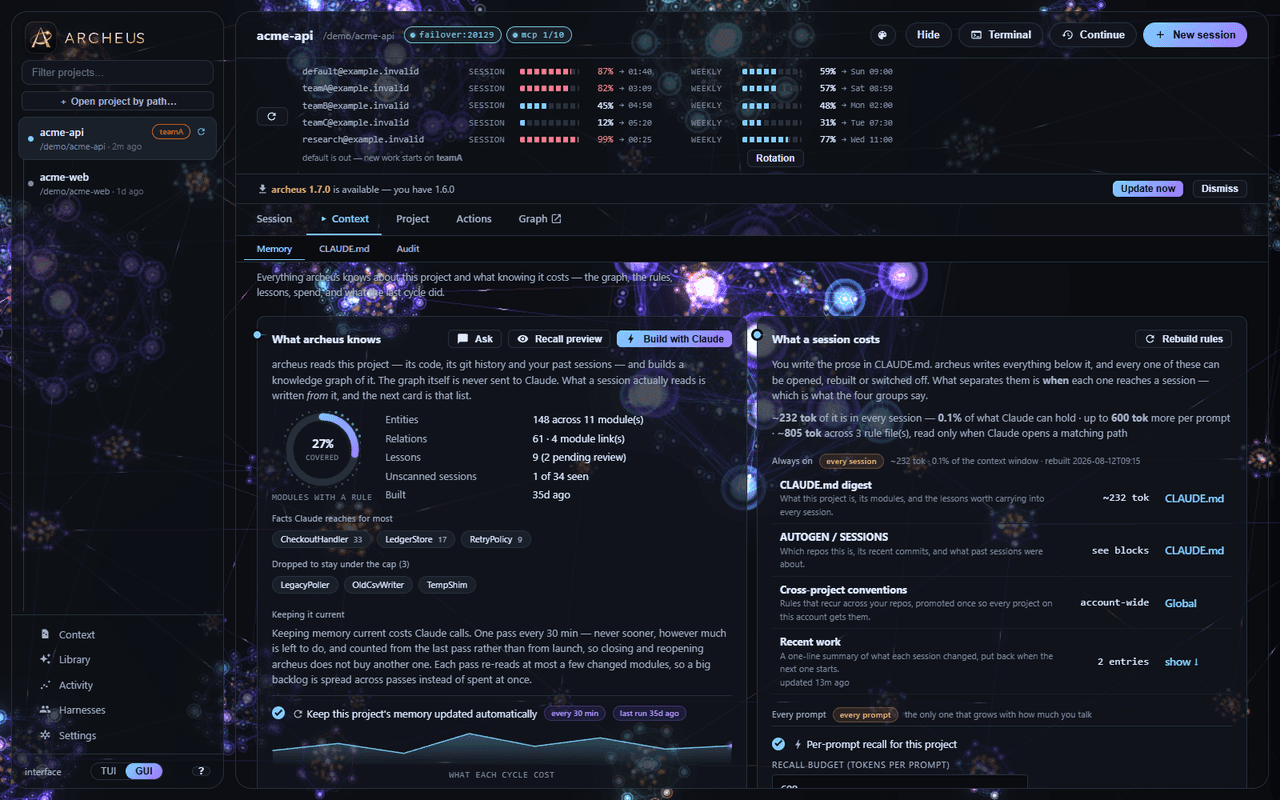
Intelligent memory, not a memory dump
A semantic graph of your codebase, injected through three token-budgeted surfaces. The always-on cost is a bounded index that does not grow as the codebase does.
| Surface | What Claude sees | Cost |
|---|---|---|
| CLAUDE.md micro-index | repo one-liners, module names, a recall pointer | ≤250 tokens, every session |
| .claude/rules/ per module | entities and relations, path-scoped | 0 until Claude touches those files |
| UserPromptSubmit hook (opt-in) | the subgraph relevant to the prompt you just typed | ≤600 tokens per prompt, under a second, local |
- Bounded and self-consolidating
- Duplicate entities merge across modules and a global importance cap evicts the least-connected, so the always-on cost stays flat while accuracy rises. The memory gets leaner and sharper the more you build, not heavier.
- Nothing shrinks without a way back
- Pin an entity and the cap can never evict it. Fence a region of CLAUDE.md and AI compression never even sends it to the model. Prune names what it will drop before it drops it. Every replacement is snapshotted and restorable, and restoring is itself snapshotted.
- Temporal facts
- When you migrate Flask to FastAPI the old fact is invalidated with a timestamp rather than deleted — kept as history, never injected. Memory tracks what is true now and what changed, instead of drifting stale.
- It learns from every session
- Durable lessons — error to fix pairs, decisions, preferences — are distilled from transcripts, reviewed, injected when relevant and decayed when unused. Conventions that recur across your repos are promoted to your user-level CLAUDE.md, so a rule learned once is remembered everywhere.
- Local, deterministic retrieval
- Four rankers combined by Reciprocal Rank Fusion, which uses each ranker’s position rather than its score, so nothing needs calibrating. No embeddings, under half a second on 500 entities. The honest limit: this is lexical retrieval — a query sharing no vocabulary with the stored summary will miss.
Graph memory is inspired by cognee and retrieval budgeting by Aider’s repo-map; both were reimplemented from scratch in pure stdlib.
Station 04
A workspace, not a pile of chats
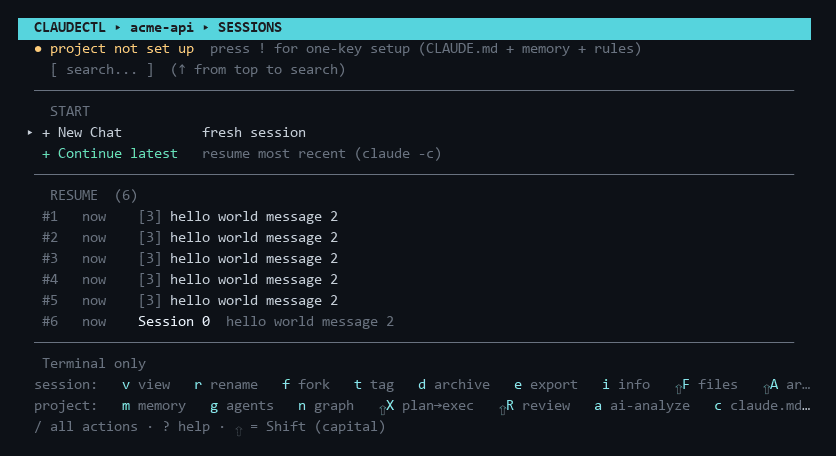
Every project Claude Code has ever opened, every session inside it, sorted by recency and searchable across the lot — across every account at once.
- Sessions
- Browse, search, tag, fork, rename, resume, archive and export. Read any transcript in a pager with full-text search inside the conversation, and list the files a session actually changed, derived from its tool calls.
- Usage
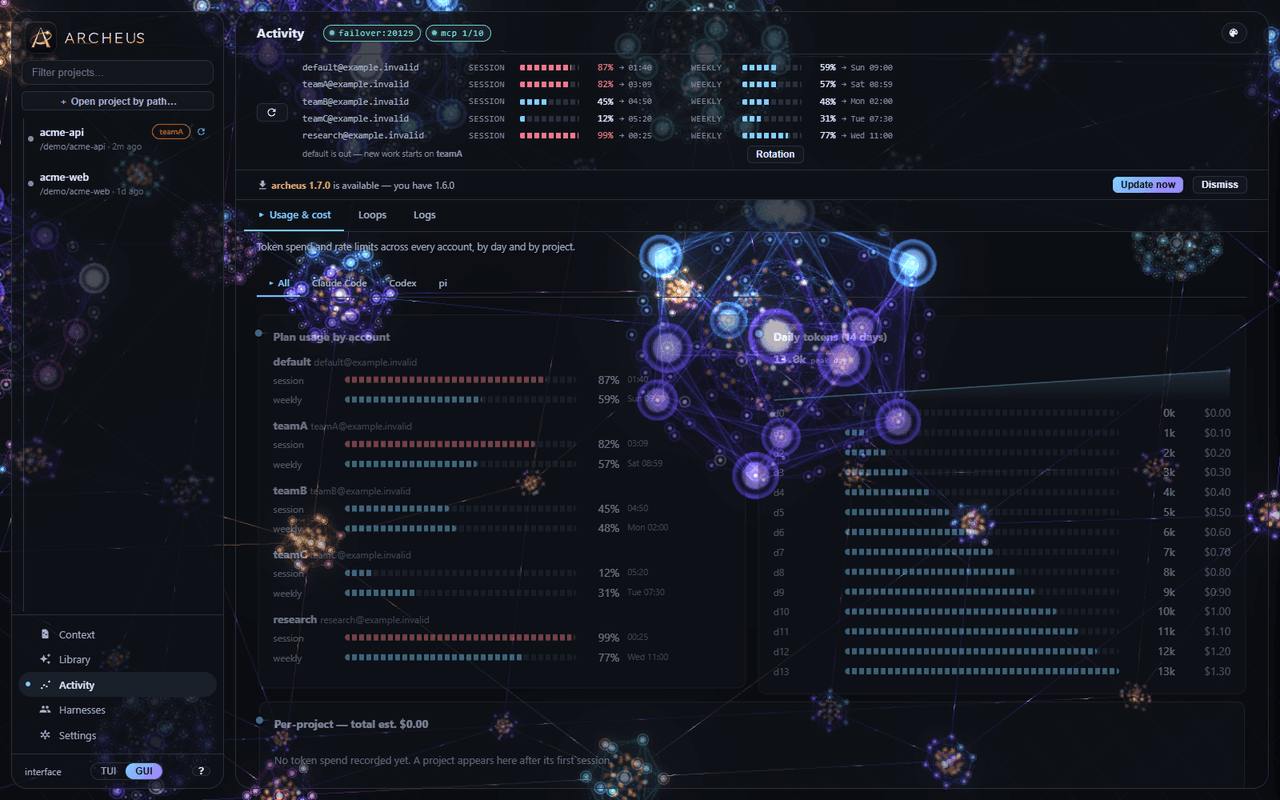
- Tokens in, out and cached, plus estimated cost per project, per session, per day and per model — parsed from your own local transcripts, not from an API. Daily limit bars with reset times on the main screen.
- Multiple accounts
- Claude Code picks its account through CLAUDE_CONFIG_DIR. archeus detects every configured account, merges their projects into one list, shows per-account usage side by side, and sets the variable for you at launch.
- Launch control
- Model, reasoning effort, permission mode, agent, extra PATH entries and additional context roots — chosen before each launch and remembered per project. Start a named session, or one in a fresh git worktree.
- Context hand-off
- Hand off any session to a new one, under any account, from the button on its row — for when the context window fills up, or an account hits its limit mid-task. The new chat starts with the old transcript on disk and is told to read it first.
Station 05
Where the tokens go
CLAUDE.md and memory files ride in the context on every message. archeus makes that cost visible, then cuts it.
- Context weight audit
- One screen estimating the tokens auto-loaded on every turn for this project: CLAUDE.md broken into its blocks, the global CLAUDE.md, rules files marked lazy when they are glob-scoped, the system prompt, SessionStart hook injections and MCP servers — with a running always-on total and inline warnings.
- Prune and compress
- The session-topics log is capped to the most recent entries and rebuilt in place. AI compression rewrites the hand-written part into a lean lookup-table style, shows a before-and-after token count and a diff to approve, and preserves the machine-maintained blocks verbatim.
- Deny heavy reads
- Scans the project and writes permissions.deny rules for node_modules, dist and lockfiles into the project settings, so a stray read cannot pull thousands of tokens of generated content into context.
- Cheaper models for the grunt work
- archeus’s own internal calls default to a cheap economy model. Plan → Execute runs the expensive model once for the plan and a cheap — or, through OmniRoute, a free — one for execution.
- Measured, not asserted
- Rule files were being loaded on every turn because they carried Cursor’s frontmatter key rather than Claude Code’s. Fixing it took this repository from 22,238 always-on tokens to 18,363 — 3,875 off every single turn.
Station 06
Get archeus
The memory and workspace layer for AI coding agents. Five ways in, all free, MIT licensed and one line each — and all of them need at least one coding CLI already installed: Claude Code, OpenAI Codex or pi.
Or clone the repository and run python claude-sessions.py. There is nothing to build and nothing to install alongside it.
pipx install archeus
archeus
pip install archeusnpx archeus/plugin marketplace add babarmuhammad/archeus
/plugin install archeus@archeus